AE Automation Tool

Stop keyframing.
Start driving.

Eliminate manual keyframing by linking layer properties to controllers. Drive complex animations dynamically based on distance.

Create organic, reactive motion for UIs, backgrounds, or particle grids in seconds.

What Is Field Driver?

Field Driver is an automation tool for After Effects that lets your layers react to a controller.

Instead of animating every object manually, you can drive animation based on:

  • Distance from a controller
  • Null-based triggers
  • Path-based triggers
  • Position, Scale, Opacity, and Rotation
  • Color control
  • Time Remapping
  • 3D LookAt direction
  • Custom FX

Build once. Move the controller. Let the animation react.

πŸ•ΉοΈ Try It Yourself

Select a property below and move your mouse over the grid to see how Field Driver reacts based on distance. This is the core engine behind proximity animation.

🎯 What You Can Control

Field Driver can drive the main animation properties you use every day. And for deeper control, Field Driver also supports Custom FX properties.

Position
push, pull, attract, repel
Scale
smooth size reactions
Opacity
fades, reveals
Rotation Z
clean rotational motion
Color
field-based transitions
2D LookAt
face or react in 2D space
3D Rotation X / Y
spatial rotation control
3D LookAt
orient toward a target
Time Remap
drive playback timing
Custom FX
drive selected effects

πŸ§ͺ Custom FX Control

Custom FX is an advanced option for users who want to go beyond built-in transform controls.

With Custom FX, you can select a supported effect property from your controller and drive that property across your target layers using the same Field Driver system.

Use it for advanced setups like:

  • Blur amount driven by proximity
  • Glow intensity reacting to a controller
  • Distortion strength controlled by distance
  • Effect center points following the field
  • Color controls animated through field influence
  • Plugin sliders controlled by null or path triggers
  • 2D / 3D effect values driven automatically

Field Driver includes 3 Custom FX slots, so you can build layered setups with multiple driven effect properties.

This makes Custom FX a powerful extension for advanced artists, while the main Field Driver workflow stays fast and easy for everyday animation.

Core Control Modes

🧲 Null Mode

Use one or multiple null controllers to drive your selected layers.

Best for:

  • Proximity animation
  • Grid reveals
  • UI reactions
  • Motion typography
  • Abstract motion systems
  • Controller-based animation setups

Move the null, and the animation responds instantly.

♾️ Path Mode

Use a dedicated path controller to drive animation from masks or shape paths.

Best for:

  • Wave animation
  • Curved reveals
  • Motion trails
  • Animated lines
  • Shape-based reactions
  • Path-driven motion systems

Draw a path, apply Field Driver, and let your layers react based on distance from that path.

πŸŽ› Field Control System

Fine-tune exactly how your animation behaves.

  • Radius β€” controls the area of influence
  • Falloff β€” shapes how smoothly the effect fades
  • Attract / Repel β€” pushes or pulls layers
  • X / Y / Z Strength β€” adjusts directional movement
  • Scale X / Y / Z Strength β€” controls scale per axis
  • Color Strength β€” controls color blending intensity
  • Time Remap Strength β€” controls timing response
  • Render Range β€” helps optimize calculation distance

This gives you control over both the animation and the performance of the setup.

✨ Motion Feel Controls

Field Driver includes controls that make animation feel more natural and less mechanical. Use these controls to create motion that feels responsive, energetic, and alive.
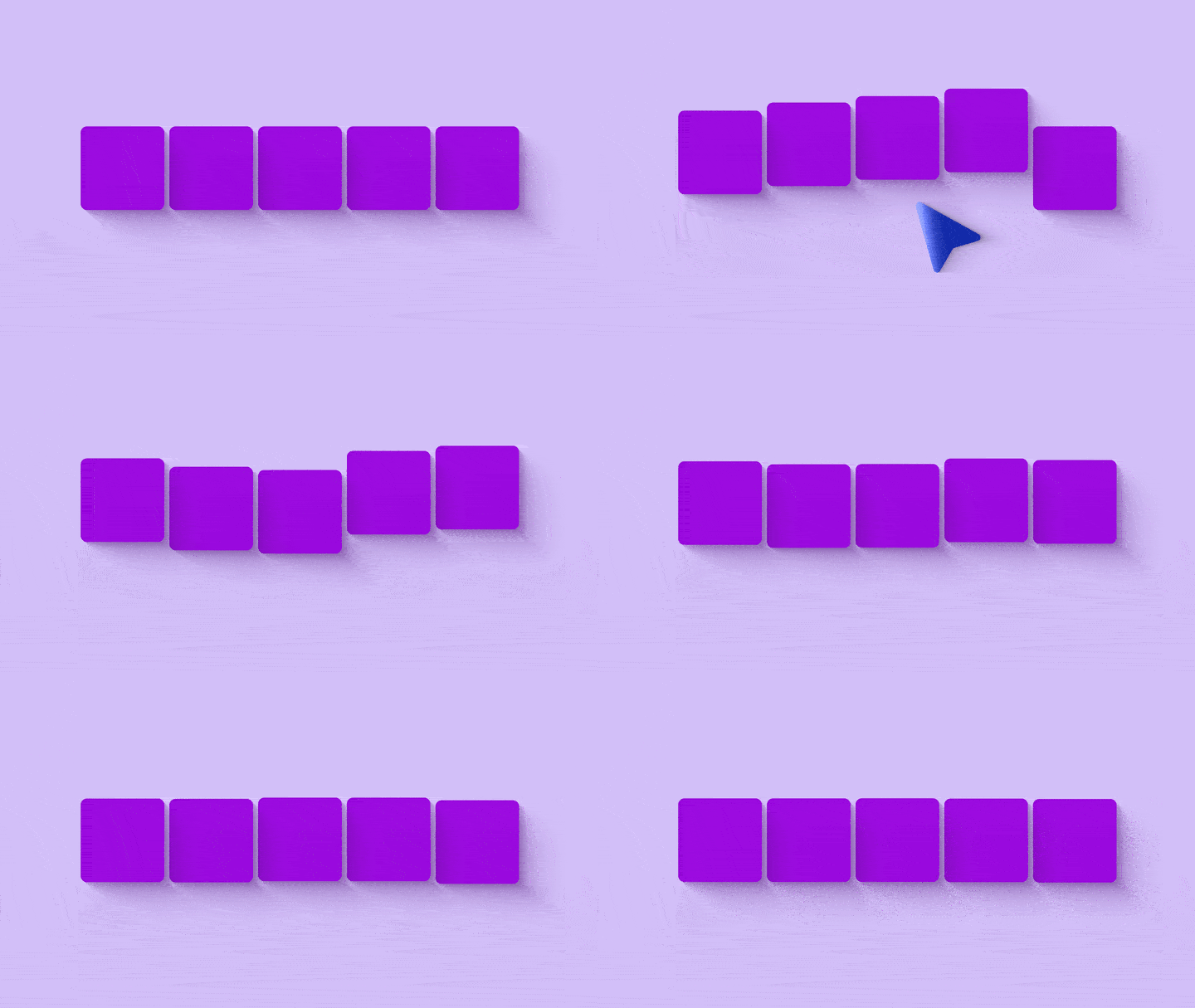
Elasticity
adds bounce and delayed motion response
Elastic Frequency
controls the speed of the bounce
Elasticity Delay
adjusts how long the motion remembers interaction
Randomize
adds controlled variation across layers
Sticky Mode
creates held or trigger-style reactions

♦️ Elasticity

Elasticity Preview

♦️ Sticky Mode

🎨 Color + Time Control

Field Driver is not limited to movement.

  • Dynamic Color Control
    Create color transitions across shape layers, text, footage, and visual elements.
  • Use Layer Color Mode
    Use each layer’s original color as part of the field transition.
  • Time Remap Driver
    Control playback timing based on distance, useful for loops, glitches, video textures, and reactive footage.
  • Custom FX Expansion
    Drive selected effect properties through the same field system when you need more specialized control.

🧰 Built-In Workflow Tools

Field Driver includes practical tools to help you set up scenes faster.

  • Gen Controls
    Create one or multiple null controllers.
  • Create Path Controller
    Generate a dedicated path controller for mask/path workflows.
  • Create Grid
    Build square, hexagon, or radial layouts.
  • Duplicate Selected Layer
    Generate repeated layouts from your own design.
  • Create Basic Shapes
    Quickly create circles, squares, or hexagons for testing.
  • Grid Master Null
    Parent generated layouts to a master control.
  • Fix Anchor
    Center anchors, snap shapes, or precompose in place.

πŸ” Bake, Freeze, Wipe, Reset

Field Driver is designed for both experimentation and final delivery.

  • Apply & Save
    Applies Field Driver expressions and saves the original layer state.
  • Bake Keys
    Converts live Field Driver animation into editable keyframes.
  • Custom Bake Range
    Bake the work area, full comp, or a custom time range.
  • Custom FX Bake Support
    Bake driven effect properties, not only transform properties.
  • Wipe Expressions
    Remove Field Driver expressions from selected properties.
  • Freeze Current State
    Lock the current driven result at the playhead.
  • Wipe Keys & Reset
    Clean up expressions, keyframes, links, Custom FX bindings, and restore layers to their saved state.

πŸ’Ž Why Motion Designers Use Field Driver

Field Driver helps you work faster when animation becomes complex. It gives you the speed of automation while keeping creative control inside After Effects.

  • Animate many layers from one controller
  • Build cleaner procedural motion systems
  • Reduce repetitive keyframing
  • Create responsive UI, HUD, and grid animations
  • Add bounce, variation, and field-based timing
  • Drive advanced effect properties with Custom FX
  • Keep setups editable while designing
  • Bake clean keyframes when the animation is final

πŸ“¦ Which Version Is Right For You?

Ready to automate your workflow? Download the Field Core to test the engine, or grab the Pro Suite to unlock the full power of color and 3D automation.

FREE FOREVER
Free Version
Perfect for trying out the core proximity tools.
$0/forever
No credit card required
  • Basic Proximity Animations
  • Max 1 Controller supported
  • Limited features
  • Good for basic projects
Download Free Version
LIMITED TIME OFFER
Field Driver
Create dynamic proximity-based animations instantly.
Mac & Win | After Effects CC 2022+
$40.00 Save $30.01
$9.99one-time
Secure Checkout via Card, UPI & Apple Pay
  • Commercial Use
  • Lifetime key (no subscriptions)
  • Made for advanced projects
  • Constant updates & support
Get 7 day free trial

Frequently Asked Questions

How many users or devices can use 1 license?

A maximum of 3 slots for users or devices are allowed to use 1 license at a time. If you want to free up a slot, click the "Reset License" button in the UI panel.

Do you have a refund policy?

We do not offer a refund policy for this product because you can use a 7-day free trial before purchasing. This allows you to confirm if it is suitable for your workflow. Because this is a digital product, refunds will not be initiated.

Do I Need to Apply Again After Changing Something?

Yes, in some cases.

Reapply when:

  • you add new paths in Path mode
  • you add more controllers that should affect existing layers
  • you change which target properties are enabled
  • you change Custom FX assignments
  • you want existing layers to follow a different set of controllers
Can I Apply Field Driver to the Controllers Themselves?

You can include controllers in your selection when you click APPLY & SAVE, but they are used only as controllers, not as driven target layers.

Field Driver will not write the driven expressions onto the controller layers themselves.

Is Baking Destructive?

Baking replaces live expression-driven behavior with keyframes for the baked properties. Keep a saved project version if you want to preserve the live setup before baking.

Can I Use Multiple Controllers?

Yes. In Nulls mode, layers react to the nearest valid generated controller.

If you want more control, select specific controllers before APPLY & SAVE so the selected layers respond only to those controllers.

If you do not select any controller, Field Driver uses all valid controllers automatically.

Can I Use Custom FX with Third-Party Effects Like Deep Glow?

Yes, in many cases.

Custom FX can work with third-party effects like Deep Glow, as long as you select one supported property inside the effect.

The safest way to think about it is this: Field Driver is not limited by the effect brand, but the exact property you choose still needs to be a supported type.

Thanks for your purchase!

Your transaction was successful.